
Does Forwarded Traffic Count in Google Analytics? What Actually Gets Tracked

Quick answer: Yes, does forwarded traffic count in google analytics when the visitor lands on a page where your tracking tag fires. The bigger issue in forwarded traffic Google Analytics tracking is attribution, because forwarded emails, shortened links, and domain redirects often strip referrer data and make visits appear as direct, unassigned, or sometimes referral in GA4.
Can Google Analytics track where traffic comes from?
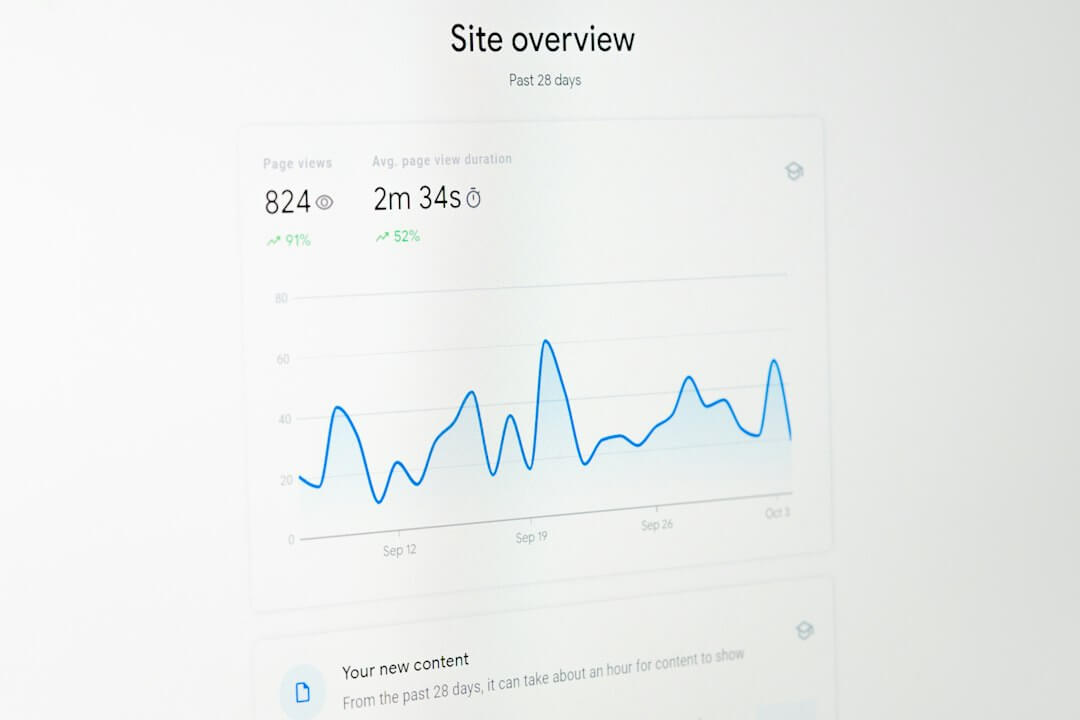
Yes, but only when source information survives the trip to your site.
GA4 identifies traffic using referrer data, campaign parameters, and Google Ads integrations, then groups visits into channels like Direct, Referral, Organic Search, and Paid.
If that source data is missing, GA4 still records the visit if the tag loads, but the session may be misclassified.
This is why how does google analytics track redirected traffic is really an attribution question, not just a counting question.
A forwarded visit is usually tracked correctly when one of these is true:
- UTM parameters stay attached: source, medium, and campaign values survive the redirect
- Referrer is preserved: the browser passes the previous page or service as the referring source
- Landing page loads normally: the GA4 tag fires without script errors or consent blocks
- Cross-domain setup is correct: if multiple owned domains are involved, session continuity is maintained
According to Google's GA4 traffic-source documentation, Analytics uses available campaign and referrer data to determine session source and medium.
What is considered direct traffic in Google Analytics?

Direct traffic in Google Analytics usually means GA4 could not identify a better source for the session.
That includes obvious direct visits, like someone typing your URL, but it also includes a lot of unattributed traffic from forwarded emails, messaging apps, PDFs, mobile apps, and redirects.
This is where people get confused about email forwarded traffic Google Analytics direct traffic dark traffic.
When a link is shared or forwarded through channels that do not reliably pass referrer data, GA4 often drops the original source and puts the session into Direct.
Common causes of inflated direct traffic include:
- Email forwards: especially when the original campaign link had no UTMs
- Link shorteners: some setups preserve parameters cleanly, others do not
- HTTP to HTTPS issues: old or mixed setups can lose referrer details
- App opens: clicks from chat, social, or mobile email apps may not send standard referrers
- Redirect chains: too many hops can break attribution before the landing page loads
If you are seeing unexplained spikes, this is often the answer to "Why is direct traffic so high in GA4?"
Why is direct traffic so high in GA4?
Usually, direct traffic is high because GA4 is missing source data, not because thousands of people suddenly typed your URL by hand.
Forwarding and redirection are two of the most common reasons.
Here is a simple breakdown of what tends to happen.
Traffic situationDoes GA4 count the visit?Most likely attributionForwarded email with no UTM tagsYesDirectForwarded email with UTM tags preservedYesCampaign source and medium301 domain redirect with UTMs intactYesCampaign source and mediumShortened link with stripped parametersYesDirect or UnassignedClick from another website with referrer preservedYesReferralRedirect to a page where tag never loadsNoNot tracked
In other words, domain forwarding google analytics tracking usually works for counting sessions, but not always for accurate source reporting.
A 2024 study from Pew Research Center noted that user journeys increasingly move across apps, devices, and private sharing channels, which makes attribution less clean than many marketers assume. That reality shows up in GA4 as rising "direct" and "unassigned" traffic.
How do forwarded links, shortened URLs, and redirected domains show up in GA4?

The answer depends on what survives the redirect.
If the user reaches your site and GA4 loads, the visit counts. What changes is whether GA4 can still see the source, medium, and campaign details.
Here is the practical version of how does google analytics track forwarded domains and how does google analytics track redirected domains:
- A user clicks a forwarded or shortened link from email, a parked domain, a link shortener, or another page.
- The redirect happens through one or more hops before the browser reaches your final URL.
- GA4 checks available signals like UTM parameters and the HTTP referrer.
- The landing page loads your tag and the session is recorded.
- GA4 assigns a channel based on whatever source information is still available.
If the redirect preserves UTM tags, your reporting is usually fine.
If the redirect strips UTMs or the referrer disappears, the same click may show up as Direct even though it was not truly direct.
This is especially common with visitor forwarding, email shares, and some paid traffic routing setups.
Services like Bitly can help you preserve campaign links more cleanly, especially when you build tagged URLs before shortening them.
If you use redirected traffic sources for promotion or testing, platforms like SimpleTraffic make more sense when you send visitors to pages with clear UTM-tagged destinations and a defined conversion goal.
For a broader look at measured paid visits, we covered the setup basics in our guide to cheap website traffic that is tracked properly.
How can you make forwarded traffic easier to attribute?

The fix is usually simple: reduce the number of places where source data can get lost.
You will not eliminate every unattributed visit, but you can shrink the problem a lot.
Use this checklist:
- Add UTMs to every campaign URL: especially for email, affiliate placements, traffic buys, and shortened links
- Test the full redirect path: click the real link and inspect the final landing URL for lost parameters
- Keep redirects short: fewer hops means fewer chances to lose attribution
- Use HTTPS everywhere: mixed-protocol setups are more likely to create referrer issues
- Tag forwarded-domain destinations: do not assume domain forwarding alone will preserve campaign context
- Review GA4 Traffic Acquisition reports: compare session source/medium with landing pages and conversions
One of the most useful setups is a tagged final URL behind a clean short link.
That means the user sees a simple link, but GA4 still receives campaign details after the redirect.
If you are testing cold audiences, our article on how to test a funnel with cold traffic cheaply goes deeper into campaign tagging and clean measurement.
Does Google Analytics filter out bot traffic?

GA4 does filter some known bot and spider traffic automatically, but it does not catch everything.
That matters because some website owners confuse misattributed forwarded traffic with fake traffic, even though they are different problems.
Here is the distinction:
- Misattributed traffic: real visitors are counted, but the source is wrong or missing
- Bot traffic: fake or automated visits may distort sessions, engagement, and conversions
- Low-quality human traffic: real people visit, but they are poorly matched to the offer
Google explains in its help documentation that automatic bot filtering is based on known bot lists and signals, not perfect detection of all invalid traffic.
So if your forwarded visits are real people, they can still count in GA4 even when the source appears as Direct.
That is one reason some marketers use controlled traffic tests instead of guessing. With a service like SimpleTraffic, the goal should be to measure landing-page performance, engagement, and conversion behavior, not just raw visit counts.
Are there policy or monetization risks with forwarded traffic?

Yes, there can be, especially if you buy traffic and then judge success only by session volume.
Analytics counting a visit does not mean that traffic is valid for every ad network, affiliate program, or monetization policy.
A few practical rules help:
- Read platform policies first: AdSense, affiliate networks, and sponsors may restrict certain traffic methods
- Separate testing from monetization: use paid or redirected traffic to test pages, not to inflate ad metrics
- Watch engagement quality: bounce patterns, session time, scroll depth, and conversions matter more than volume alone
- Be transparent internally: label campaigns clearly so your reports do not mix test traffic with core acquisition
Forwarded traffic is not automatically bad.
The risk comes from unclear sourcing, weak tracking, or using traffic in ways a monetization partner does not allow.
What to do next
Start by clicking your own forwarded and redirected links, then check whether UTMs survive and how GA4 classifies the session. If you use paid visitor forwarding or shortened-link campaigns, keep the routing simple and measure outcomes on a tagged landing page before you scale.
Frequently Asked Questions
Can Google Analytics track where traffic comes from?
Yes, when source information is available through referrer data, UTM parameters, or linked ad platforms. If that information is missing, Google Analytics can still count the visit but may classify it as direct or unassigned.
What is considered direct traffic in Google Analytics?
Direct traffic includes visits where Google Analytics cannot identify a clearer source. That often includes typed URLs, bookmarks, forwarded emails, app clicks, and redirects that strip attribution data.
Does Google Analytics filter out bot traffic?
GA4 automatically filters some known bots and spiders, but it does not catch every invalid visit. Real human traffic and bot traffic are separate issues from attribution, so a forwarded visit can be genuine even if the source is unclear.
Is referral traffic considered paid or unpaid?
Referral traffic is usually classified by where the visitor came from, not whether money was involved. A visit can still appear as referral even if it came from a paid placement, unless UTMs or platform integrations classify it differently.
Why is direct traffic so high in GA4?
Direct traffic is often high because GA4 is missing source details, not because all those users came directly. Forwarded emails, messaging apps, shortened links, and redirect chains are common reasons for that loss.
How do I exclude internal traffic in Google Analytics?
In GA4, you can define internal traffic by IP rules in your data stream settings and then filter or test against it. This helps keep employee visits and QA sessions from distorting your acquisition reports.
Does a 301 redirect preserve Google Analytics attribution?
Sometimes, but not always. If UTM parameters and referrer data survive the redirect, attribution can remain accurate, but if they are stripped, the visit may still count while showing as direct or unassigned.
Do forwarded emails show up as referral traffic in GA4?
Usually not unless the email platform or webmail interface passes a referrer. In many cases, forwarded email clicks show up as direct traffic unless the original link includes UTM tags.
Does forwarded domain traffic count if I use a traffic service?
Yes, if the visitor reaches a page where your analytics tag loads. For services like SimpleTraffic, the more important question is whether you tagged the destination URL so you can judge traffic quality and conversions properly.
Can UTM parameters fix forwarded traffic attribution?
They often help a lot, especially for email, shortened links, and redirected domains. They do not solve every tracking problem, but they are the simplest way to reduce direct-traffic misclassification.